MyraPad is a WYSIWYG MML-based UI designer.
Installation
dotnet tool install --global myrapad
Update
dotnet tool update --global myrapad
Running
myrapad
Configuration File
MyraPad maintains a configuration file (MyraPad.config) in the "~/.config/" location. It contains various settings such as window size and the last edited file. Delete it if you want to reset the settings.
Usage
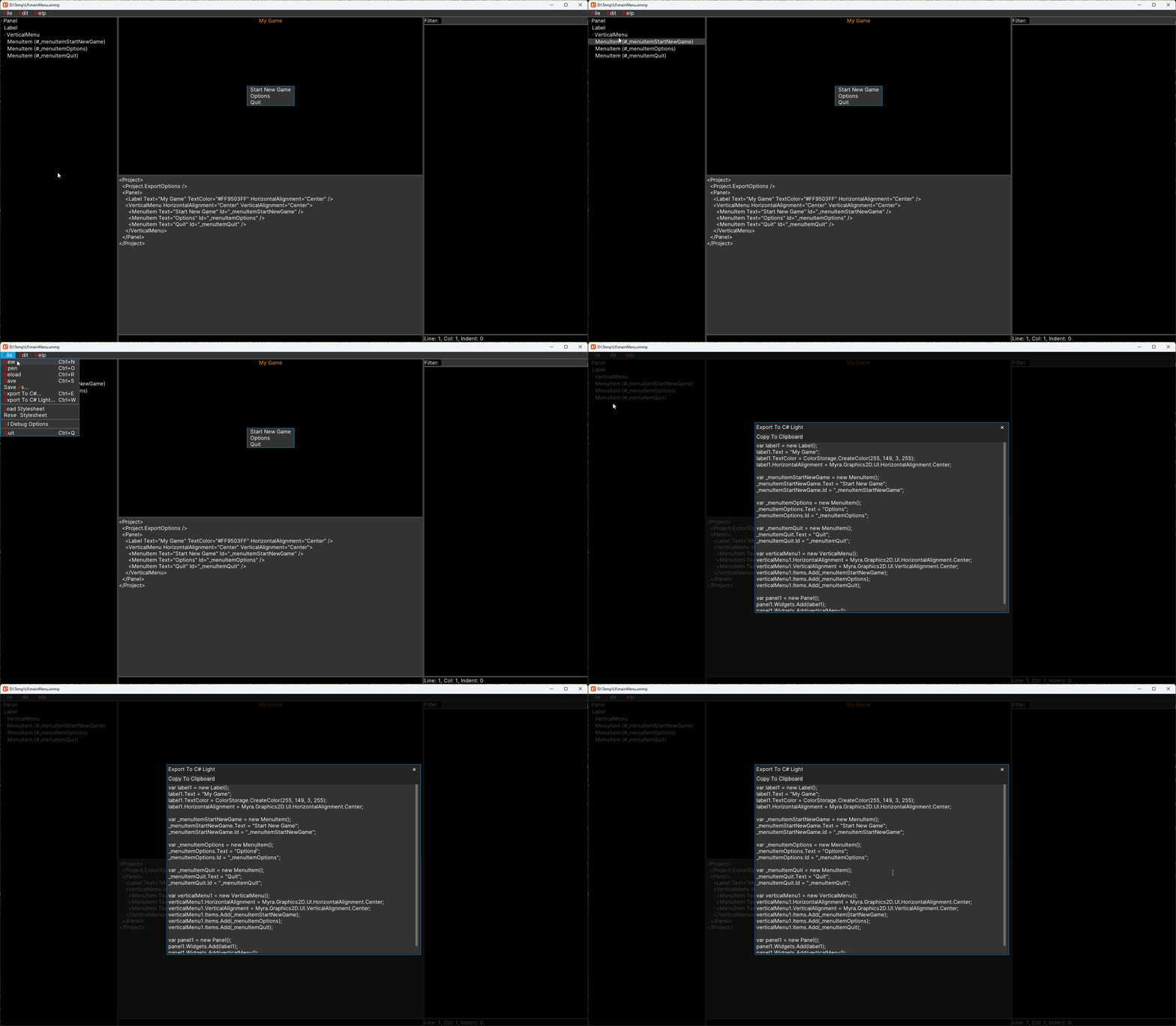
The following video demonstrates creating a simple main menu project in MyraPad:
Note: MyraPad itself is made with Myra.
Format Source
"Format Source" fixes the MML indentation.
Export To C#
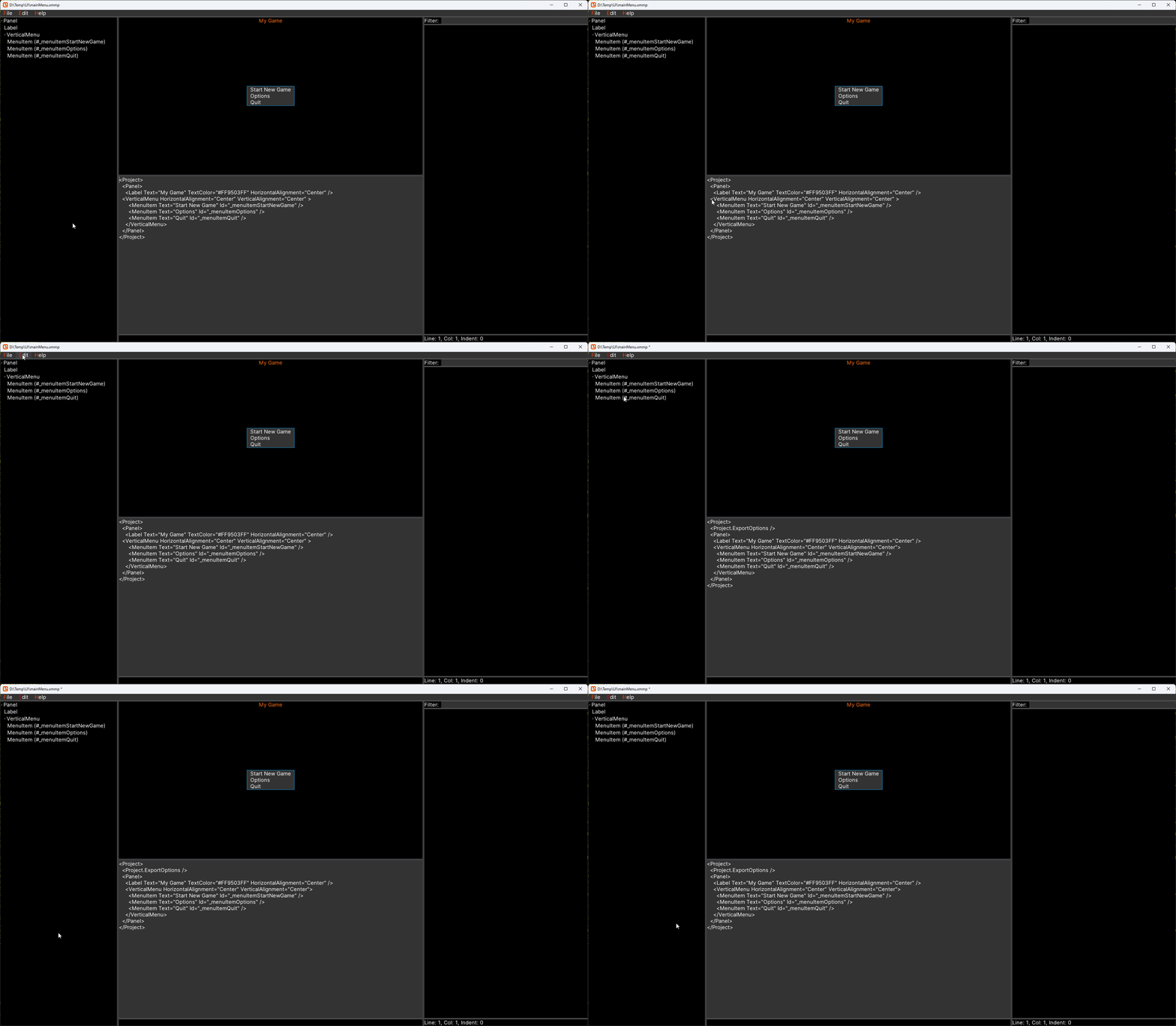
MyraPad can export projects to C#:
Note: Notice that export settings have been saved in the project in the newly appeared <ExportOptions> tag. Thus, they won't need to be entered again.
This procedure created two files: MainMenu.cs and MainMenu.Generated.cs. Now, if the export is run again, only MainMenu.Generated.cs will be rewritten. Therefore, it is safe to add custom user code to MainMenu.cs.
Let's take a look at contents of produced files.
MainMenu.cs:
/* Generated by MyraPad at 5/29/2026 11:00:03 AM */
namespace MyraTest.UI
{
	public partial class MainMenu
	{
		public MainMenu()
		{
			BuildUI();
		}
	}
}
MainMenu.Generated.cs
/* Generated by MyraPad at 5/29/2026 11:00:03 AM */
using Myra;
using Myra.Graphics2D;
using Myra.Graphics2D.TextureAtlases;
using Myra.Graphics2D.UI;
using Myra.Graphics2D.Brushes;
using Myra.Graphics2D.UI.Properties;
using FontStashSharp.RichText;
using AssetManagementBase;

#if STRIDE
using Stride.Core.Mathematics;
#elif PLATFORM_AGNOSTIC
using System.Drawing;
using System.Numerics;
using Color = FontStashSharp.FSColor;
#else
// MonoGame/FNA
using Microsoft.Xna.Framework;
using Microsoft.Xna.Framework.Graphics;
#endif

namespace MyraTest.UI
{
	partial class MainMenu: Panel
	{
		private void BuildUI()
		{
			var label1 = new Label();
			label1.Text = "My Game";
			label1.TextColor = ColorStorage.CreateColor(255, 149, 3, 255);
			label1.HorizontalAlignment = Myra.Graphics2D.UI.HorizontalAlignment.Center;

			_menuItemStartNewGame = new MenuItem();
			_menuItemStartNewGame.Text = "Start New Game";
			_menuItemStartNewGame.Id = "_menuItemStartNewGame";

			_menuItemOptions = new MenuItem();
			_menuItemOptions.Text = "Options";
			_menuItemOptions.Id = "_menuItemOptions";

			_menuItemQuit = new MenuItem();
			_menuItemQuit.Text = "Quit";
			_menuItemQuit.Id = "_menuItemQuit";

			var verticalMenu1 = new VerticalMenu();
			verticalMenu1.HorizontalAlignment = Myra.Graphics2D.UI.HorizontalAlignment.Center;
			verticalMenu1.VerticalAlignment = Myra.Graphics2D.UI.VerticalAlignment.Center;
			verticalMenu1.Items.Add(_menuItemStartNewGame);
			verticalMenu1.Items.Add(_menuItemOptions);
			verticalMenu1.Items.Add(_menuItemQuit);


			Widgets.Add(label1);
			Widgets.Add(verticalMenu1);
		}


		public MenuItem _menuItemStartNewGame;
		public MenuItem _menuItemOptions;
		public MenuItem _menuItemQuit;
	}
}
Notice that tags with id(all MenuItem) had been exported as class fields. Thus it's possible to work with it from code. I.e. if we update the MainMenu constructor with the following code:
public MainMenu()
{
  BuildUI();
  _menuQuit.Selected += (s, a) => { Exit(); };
}
Then the app would quit when 'Quit' menu item is clicked.
Export To C# Light
Allows to instantly convert the edited MML to the C# code: