Overview
This entry describes in detail how Myra deals with images.
IBrush
IBrush represents something that can draw itself in the specified rectangle with the specified color:
  public interface IBrush
  {
    void Draw(RenderContext context, Rectangle dest, Color color);
  }
Many widget properties, such as Widget.Background or Menu.SelectionBackground, have the IBrush type. The simplest implementation of IBrush is SolidBrush.
The following code sets a SolidBrush as widget.Background:
  widget.Background = new SolidBrush(Color.Red); // SolidBrush from Color
  widget.Background = new SolidBrush("#808000FF"); // SolidBrush from RGBA string
  widget.Background = new SolidBrush("#FFA500"); // SolidBrush from RGB string
It can also be set through MML.
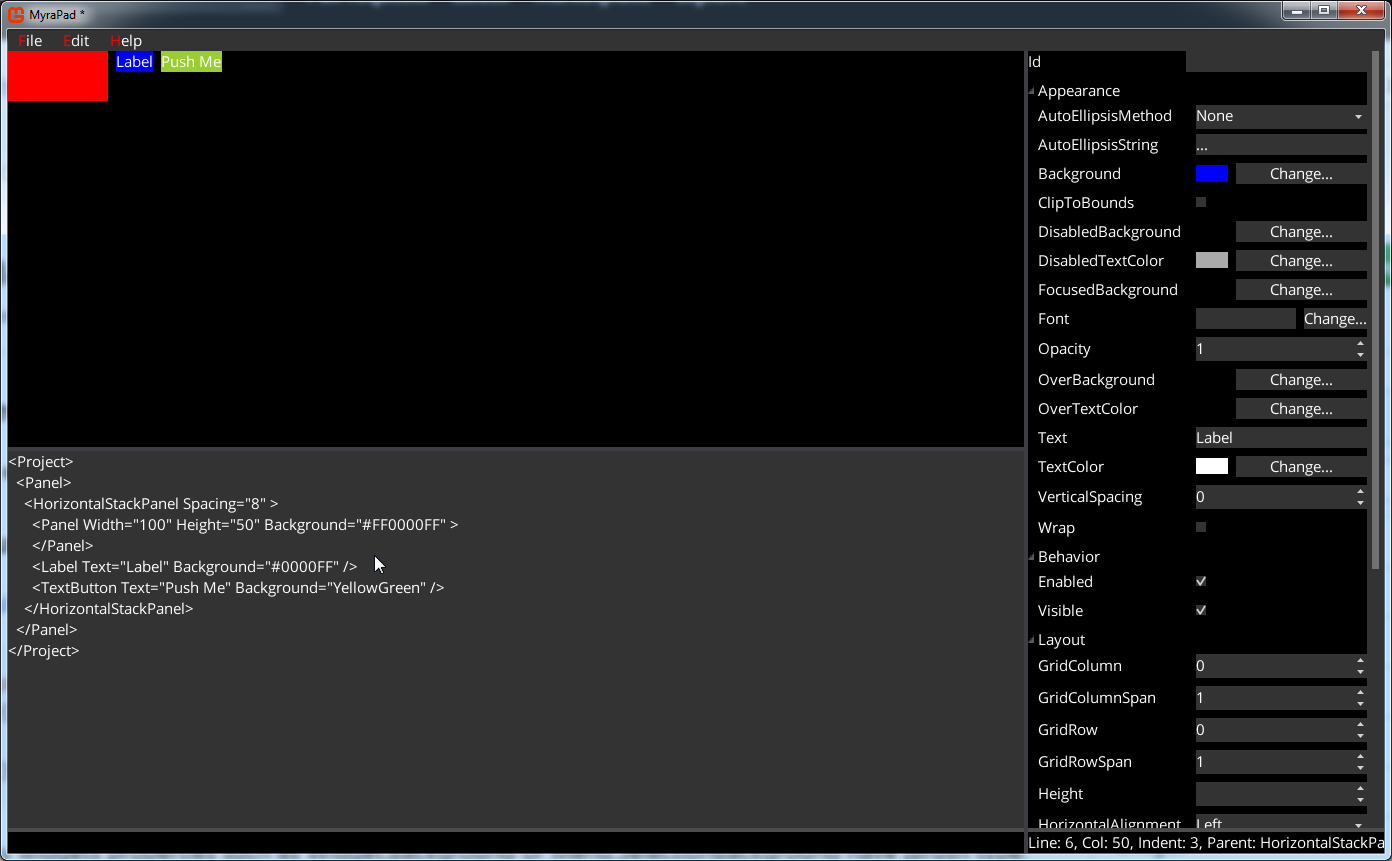
The following MML:
<Project>
  <Panel>
    <HorizontalStackPanel Spacing="8">
      <Panel Width="100" Height="50" Background="#FF0000FF" />
      <Label Text="Label" Background="#0000FF" />
      <Button Background="YellowGreen">
        <Label Text="Push Me" />
      </Button>
    </HorizontalStackPanel>
  </Panel>
</Project>
Would result in the following image:
IImage
IImage extends IBrush with Size property:
  public interface IImage: IBrush
  {
    Point Size { get; }
  }
Widgets properties such as Image.Renderable or TextBox.Cursor have IImage type.
Myra provides 2 IImage implementation: TextureRegion and NinePatchRegion.
TextureRegion
TextureRegion describes rectangle in the texture. TextureRegion implements IImage.
Therefore following code will work:
// 'texture' is object of type Texture2D
image.Renderable = new TextureRegion(texture, new Rectangle(10, 10, 50, 50));
Also following:
// If 2nd parameter is omitted, then TextureRegion covers the whole texture
image.Renderable = new TextureRegion(texture);
Note. It's also possible to use TextureRegion as IBrush. However usually it won't make much sense, since it would result in the TextureRegion stretched over the rectangle IBrush is drawn at.
NinePatchRegion
NinePatchRegion represents region with unstretchable border and stretchable center.
It could be used following way:
widget.Background = new NinePatchRegion(texture, new Rectangle(10, 10, 50, 50),
                                        new Thickness {Left = 2, Right = 2,
                                                       Top = 2, Bottom = 2});
Note. Since NinePatchRegion is stretchable, it makes a lot of sense to use it as IBrush. In fact all backgrounds of the Myra widgets are NinePatchRegion.
TextureRegionAtlas
TextureRegionAtlas is collection of texture regions(each could be nine patch) accessible by string key.
It could be loaded from MyraTexturePacker format(.xmat) using following code:
// 'data' is string containing contents of .atlas file
// 'textures' is dictionary that maps texture file names to actual textures
TextureRegionAtlas spriteSheet = TextureRegionAtlas.Load(data, name => textures[name]);